How to Read the Charts
The charts visualize why trades execute or are ignored.
Below is an example of what the Strategy Lab delivers. This example is a simulation of the daily BTC-EUR market pair.
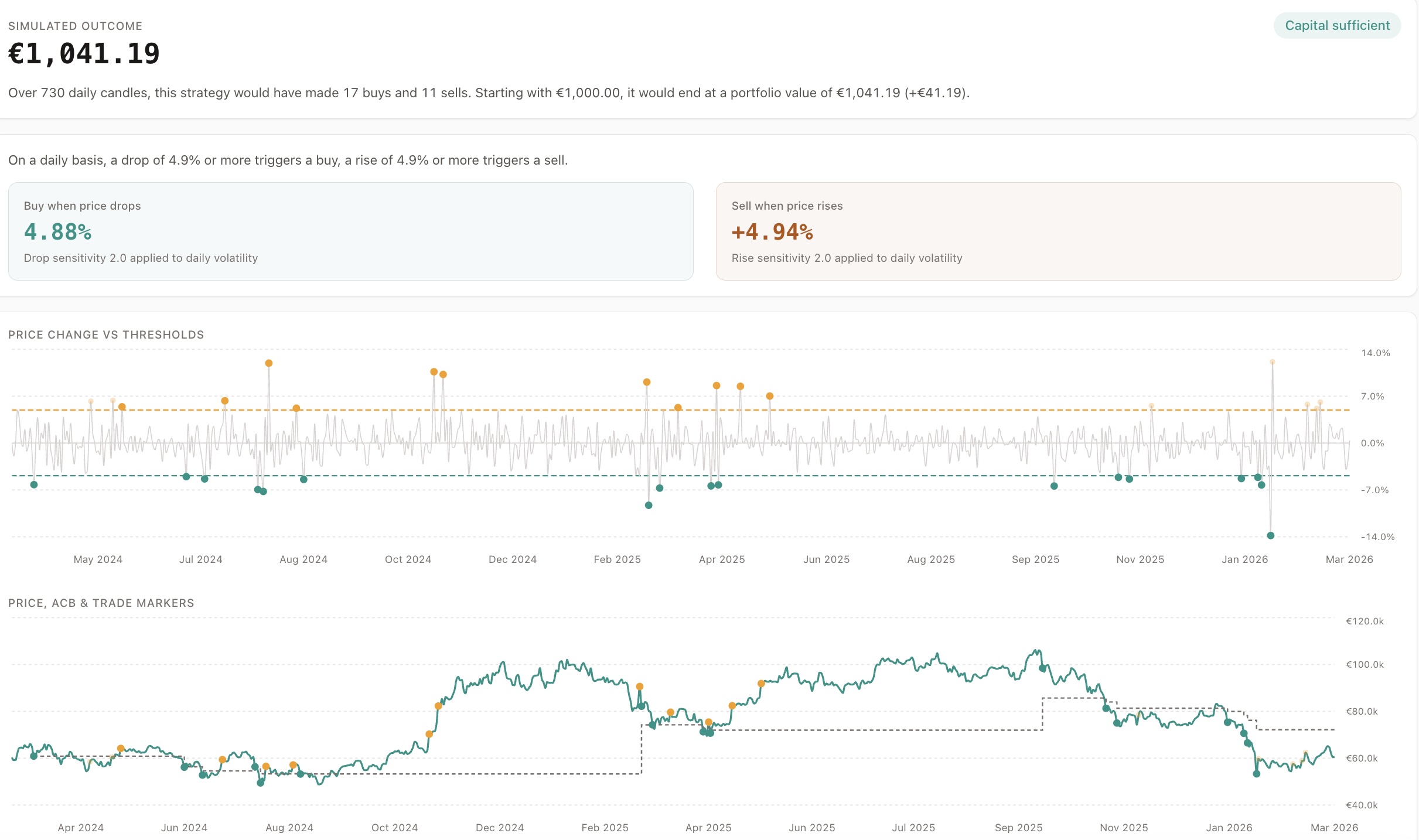
Price Change vs Thresholds (Top)
Section titled “Price Change vs Thresholds (Top)”Shows:
- Candle-to-candle price change
- BUY and SELL thresholds
Use this to spot:
- Trigger density
- Clustering risk
Price, Average Cost Basis & Trade Markers (Bottom)
Section titled “Price, Average Cost Basis & Trade Markers (Bottom)”Shows:
- Market price
- Executed trades (solid dots)
- Ignored trades (faded dots)
- ACB line (grey)
RSI Bands (When RSI Confirmation Is On)
Section titled “RSI Bands (When RSI Confirmation Is On)”With RSI confirmation configured, the top chart also shades where momentum agreed, in one of two styles you pick from the toggle above the chart:
- RSI: Bands - shades the background of each period RSI confirmed. Teal marks RSI oversold (supports a buy), amber marks RSI overbought (supports a sell)
- RSI: Filled - draws the RSI curve itself instead of shading
Your choice is kept for the rest of the session.
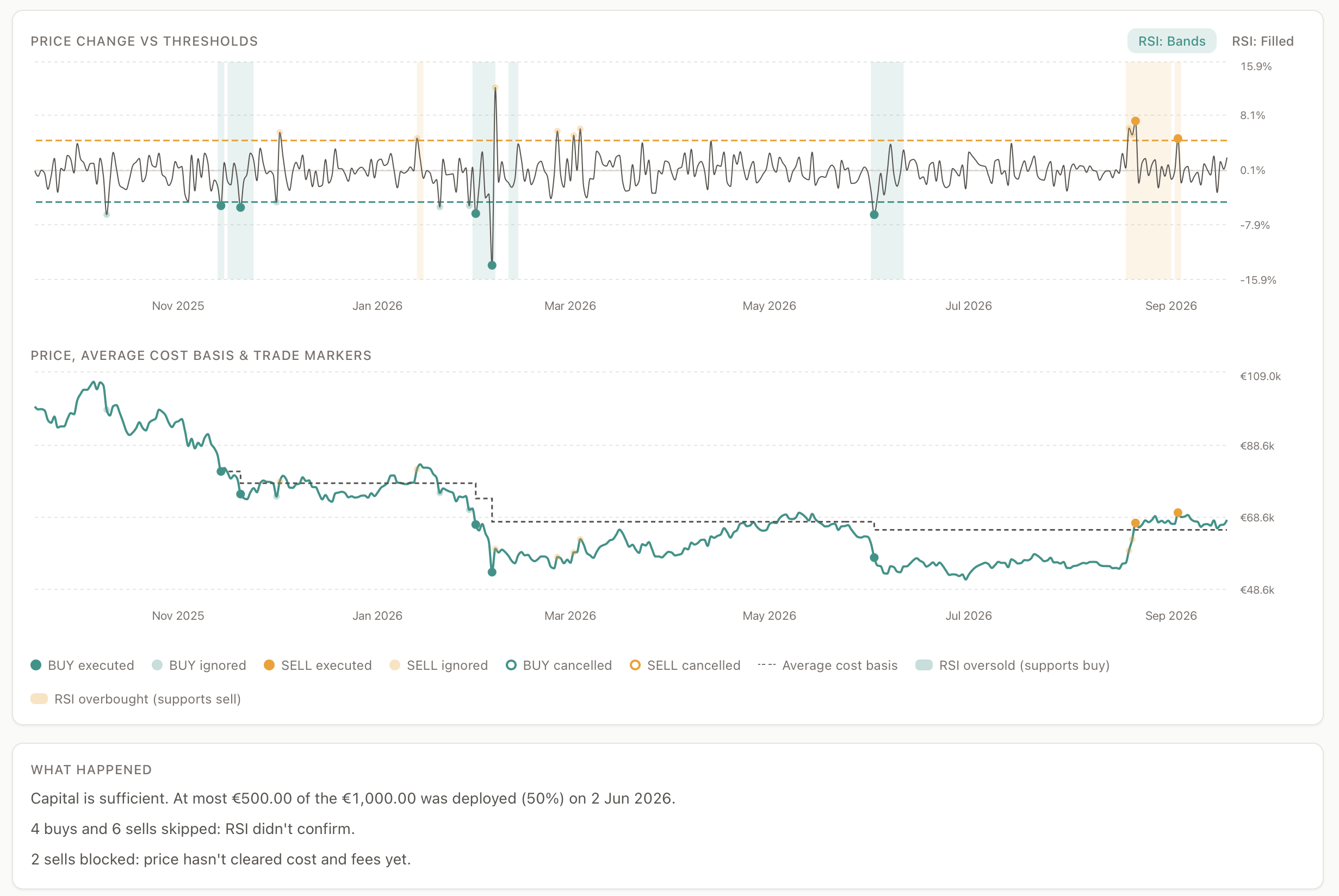
The legend gains two entries that are absent without RSI, and the What happened summary counts signals RSI skipped separately from signals blocked on cost and fees.
Reading the bands against the dots is the quickest way to see whether RSI is helping or just throttling: a trigger dot inside a band is a signal momentum confirmed, a dot outside one is a signal RSI held back.
Key Visual Signals
Section titled “Key Visual Signals”- SELL ignored: below ACB - loss protection
- SELL ignored: cost/fees not cleared - price is above ACB, but not by enough to cover the fee margin
- SELL ignored: no inventory - nothing left to sell
- Dense BUY dots - clustering
- Trigger dot outside an RSI band - RSI did not confirm the signal
- Few or no bands across a long period - thresholds are too strict for this asset
This chart is your strategy X-ray.